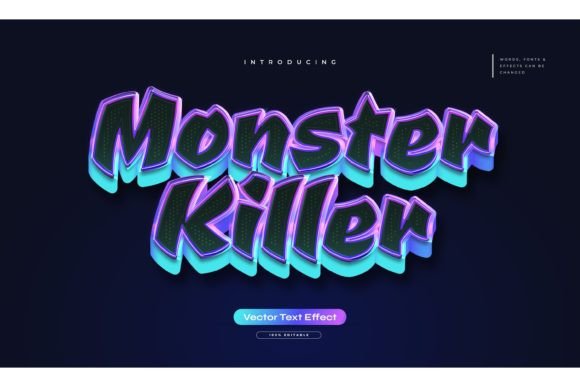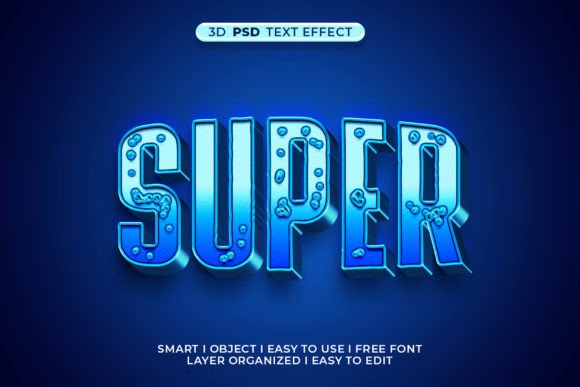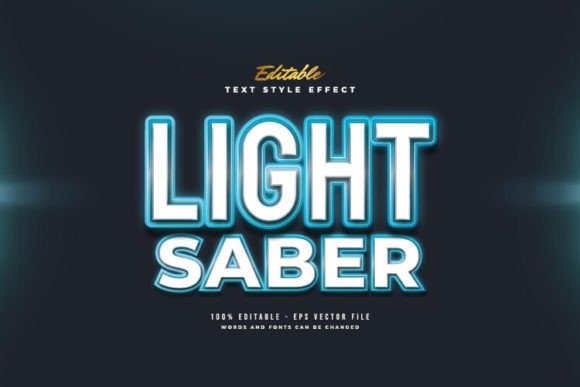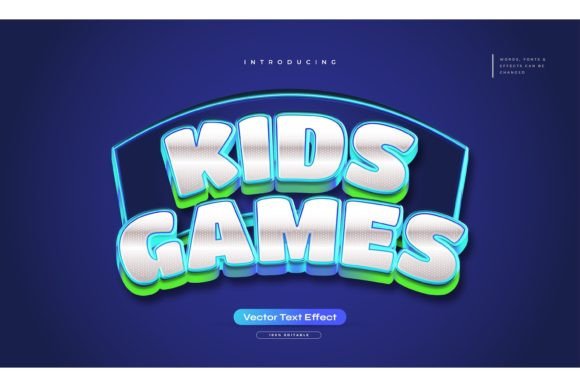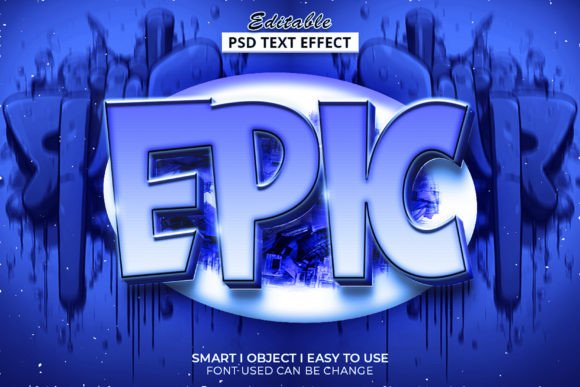
Transforming Flat Designs with the Epic 3D Text Style and Template
In the fast-paced world of digital design, capturing attention is no longer just about choosing the right color palette or typography. It is about depth, dimension, and presence. This is where the Epic 3D Text Style and Template becomes an indispensable asset for graphic designers, social media managers, and content creators alike. The shift from flat design to dimensional aesthetics has been gradual but undeniable, driven by the need for visuals that pop off the screen and engage viewers on a visceral level.
Creating high-quality three-dimensional text in Adobe Photoshop has traditionally been a labor-intensive process. It requires a deep understanding of lighting, shadow, perspective, and layer management. However, modern workflow efficiencies demand speed without sacrificing quality. This template bridges that gap perfectly, offering a professional-grade solution that is both accessible to beginners and robust enough for seasoned professionals.
The Power of Pre-Built Graphic Styles
At the core of this resource is its integration with Adobe Photoshop’s graphic styles menu. For those unfamiliar with this powerful feature, graphic styles allow you to save complex combinations of layer effects—such as bevels, embosses, drop shadows, glows, and gradients—and apply them with a single click. The Epic 3D Text Style and Template leverages this functionality to deliver instant results.
Instead of manually adjusting thirty different sliders to achieve a metallic sheen or a soft plastic look, users can simply select their text layer and apply the pre-configured style. This non-destructive editing capability means that if you decide to change the font, size, or color later, the 3D effect updates automatically. This flexibility is crucial in client-based work where revisions are frequent and deadlines are tight.
Seamless Customization and Ease of Use
One of the most significant barriers to adopting 3D design tools is the learning curve. Many plugins and actions require specific layer structures or rasterization steps that can break if not followed precisely. This template eliminates that friction. It is designed with well-organized layers, ensuring that every element is labeled and grouped logically. Whether you are working on a YouTube thumbnail, a website header, or a printed poster, the structure remains intuitive.
The process is straightforward:
- Open the provided PSD file.
- Type your desired text or import your shape.
- Apply the graphic style from the menu.
- Adjust colors or fonts as needed.
Enhancing Modern Design Workflows
In today’s multi-platform content landscape, consistency and speed are paramount. Designers often need to produce variations of the same asset for Instagram stories, Facebook ads, LinkedIn banners, and website hero sections. Using the Epic 3D Text Style and Template allows for rapid iteration. You can create a master design and then quickly generate variants by swapping out text or tweaking hues, ensuring visual coherence across all channels.
Consider the scenario of a digital marketer launching a new product. They need eye-catching headlines that convey premium quality. A flat, two-dimensional font might get lost in the noise of a crowded social feed. However, applying a bold, extruded 3D effect adds weight and authority to the message. With this template, the marketer can test five different headline variations in the time it would usually take to render one from scratch.
Technical Specifications and File Integrity
Understanding the technical backbone of a design asset is essential for long-term usability. This package includes one high-resolution PSD file and a JPEG preview for quick reference. The inclusion of a "Read Me" text file is a small but thoughtful touch, providing immediate guidance for first-time users. This documentation helps troubleshoot common issues, such as ensuring the correct version of Photoshop is being used or explaining how to reset styles if they appear distorted.
The reliance on RGB color mode ensures that the designs are optimized for digital screens, where vibrancy and contrast are key. While RGB is not suitable for print production without conversion, it is the standard for web and mobile interfaces. The template’s architecture supports high-resolution outputs, meaning your text will remain crisp and detailed even when scaled up for large displays.
Why Choose a Template Over Manual Creation?
Some purists might argue that using templates stifles creativity. However, in a professional context, templates are tools for efficiency, not replacements for skill. They handle the repetitive, technical heavy lifting, freeing up the designer to focus on composition, messaging, and overall aesthetic direction. The Epic 3D Text Style and Template provides a solid foundation that can be further customized. You are not locked into a rigid look; rather, you are given a head start.
Moreover, achieving realistic 3D effects manually requires a keen eye for light sources and material properties. Getting the specular highlights wrong can make text look muddy or artificial. This template has been crafted with attention to these details, ensuring that the shadows fall naturally and the textures feel tangible. This level of polish is difficult to achieve quickly without extensive experience.
Versatility Across Industries
The applications for this template extend far beyond simple social media posts. In the gaming industry, bold 3D typography is a staple for title screens and promotional art. In e-commerce, 3D text can highlight sales percentages or product features in a way that draws the eye immediately. Educational content creators use dimensional text to emphasize key concepts in video thumbnails, increasing click-through rates.
Even in corporate presentations, a touch of 3D flair can make slide decks more engaging. Instead of bullet points that blend into the background, headers with subtle depth create a hierarchy that guides the viewer’s attention. The ability to edit fonts easily means that you can align the 3D effect with your company’s existing typography standards, maintaining brand integrity while adding visual interest.
Making the Most of Your Design Assets
To truly leverage the potential of the Epic 3D Text Style and Template, consider experimenting with background contrasts. 3D text often shines brightest when placed against clean, contrasting backgrounds that allow the shadows and highlights to stand out. Dark backgrounds can make glowing or metallic effects pop, while light backgrounds can emphasize soft, plastic-like textures.
Additionally, do not hesitate to combine this template with other design elements. Layering 3D text over photographic backgrounds or abstract shapes can create dynamic compositions that tell a story. The well-organized layers make it easy to adjust the stacking order, ensuring that your text interacts correctly with other visual components.
For those who encounter difficulties or have specific customization needs that go beyond the template’s default settings, the creator offers support. This willingness to assist ensures that users are never left stranded with a file they cannot manipulate. It reflects a commitment to user satisfaction and underscores the value of the product as a service, not just a digital download.
In conclusion, integrating the Epic 3D Text Style and Template into your design toolkit is a strategic move toward greater efficiency and visual impact. It democratizes access to high-end 3D effects, allowing creators of all skill levels to produce professional-grade work. By reducing the technical barriers to entry, it empowers you to focus on what truly matters: creating compelling, memorable designs that resonate with your audience.