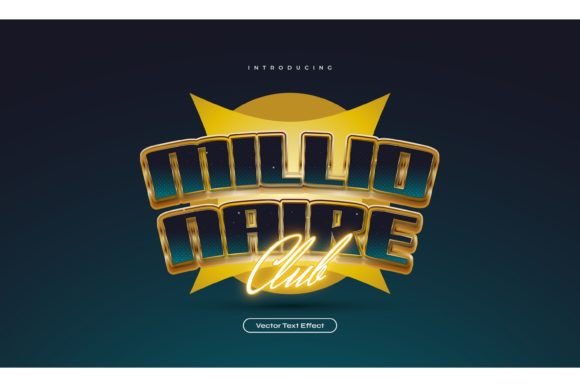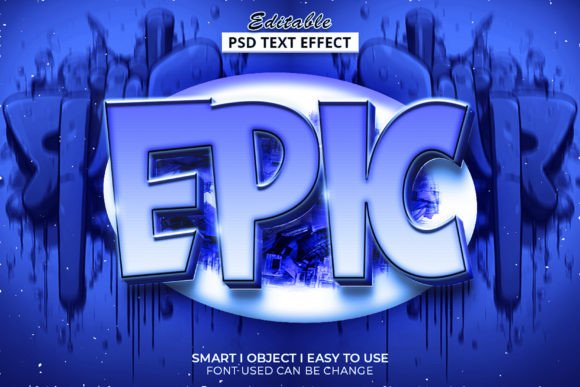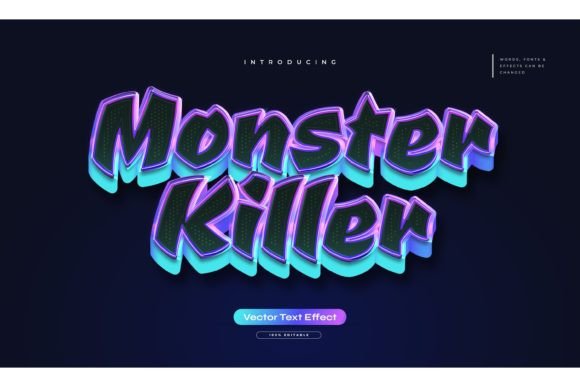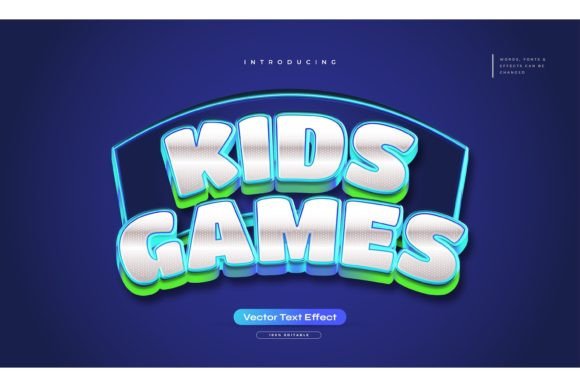
Mastering the Super 3D Text Style Template
In the fast-paced world of digital design, grabbing attention is half the battle. Whether you are crafting a social media graphic, designing a YouTube thumbnail, or building a bold header for a landing page, flat typography often gets lost in the noise. This is where the Super 3d Text Style and Template becomes an invaluable asset for creators who need impact without the steep learning curve of complex 3D modeling software. It bridges the gap between professional-grade dimensional effects and the everyday workflow of graphic designers, marketers, and content creators.
This tool is not just a font file; it is a comprehensive Photoshop action and style set designed to transform standard text into eye-catching, three-dimensional artwork instantly. By leveraging pre-built graphic styles, you can achieve depth, lighting, and texture that would typically take hours to render manually. The appeal lies in its efficiency and versatility, allowing you to maintain a high standard of visual polish while meeting tight deadlines.
Visual Impact and Design Versatility
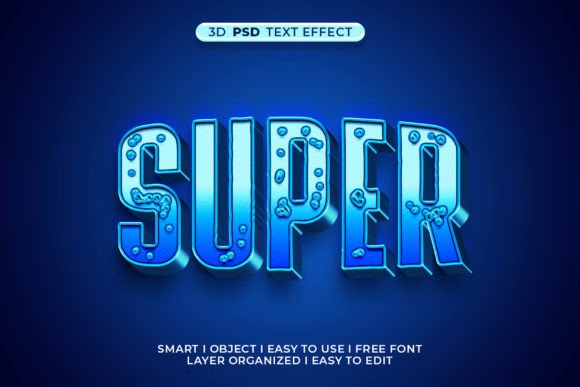
The core strength of the Super 3d Text Style and Template is its ability to add immediate weight and presence to your compositions. Visually, these effects tend to lean towards bold, modern aesthetics. They utilize sharp shadows, beveled edges, and layered gradients to create the illusion of physical depth. This makes the typeface pop off the screen, creating a tactile quality that engages the viewer’s senses.
Because the effect is applied via Photoshop’s graphic styles menu, it works seamlessly with any typeface you choose. This flexibility is crucial for maintaining brand identity. You are not locked into a single quirky display font; instead, you can apply the 3D effect to your company’s primary sans serif font for a clean corporate look, or a playful handwritten font for a more casual, approachable vibe. The result is a consistent visual language that can adapt across various platforms, from Instagram stories to printed flyers.
For those working in logo design or packaging design, this level of dimensionality can elevate a simple wordmark into a memorable brand icon. The interplay of light and shadow adds sophistication, suggesting quality and attention to detail. However, it is important to use these effects judiciously. Overusing heavy 3D styles can clutter a layout, so they are best reserved for headlines, call-to-action buttons, or key focal points where you want to guide the user’s eye.
Streamlining Your Creative Workflow
One of the most frustrating aspects of adopting new design assets is the time required to learn how they work. The Super 3d Text Style and Template addresses this by prioritizing ease of use. The package includes a well-organized PSD file with clearly labeled layers. This structure is essential for professionals who need to swap out text quickly or adjust colors to match specific client requirements.
The process is straightforward: you type your desired text, apply the graphic style from the menu, and the effect renders automatically. If you need to tweak the look, the layers are non-destructive, meaning you can adjust colors, opacity, or blending modes without ruining the original effect. This "plug-and-play" nature makes it accessible even to those who may not be Photoshop experts, such as small business owners managing their own marketing or bloggers creating custom headers.
Furthermore, the inclusion of free fonts ensures that you can replicate the preview images exactly if you wish, but the real power lies in using your own licensed typography. Whether you are pairing a bold serif font for an editorial look or a sleek modern typography choice for a tech startup, the 3D effect adapts. The RGB color profile ensures that what you see on screen is vibrant and ready for digital deployment, which is critical for web design and social media graphics.
Strategic Applications Across Industries
Understanding where to apply these 3D effects can significantly enhance your project’s effectiveness. For marketers and entrepreneurs, the primary goal is conversion and engagement. A 3D headline on a sales page can break up text-heavy sections and draw attention to special offers. In editorial design, such as magazine covers or eBook layouts, these styles can add a dynamic energy that static text lacks, making the publication feel more premium and contemporary.
Consider the context of commercial font usage. When creating ads for social media, users scroll quickly. A flat text overlay might be ignored, but a text element with depth and shadow stands out against the background imagery. The Super 3d Text Style and Template allows for rapid iteration, enabling A/B testing of different headlines with minimal effort. You can change the text and color scheme in seconds, allowing you to optimize for click-through rates based on real data rather than guesswork.
For hobbyists and crafters, this tool opens up new possibilities for print-on-demand projects. T-shirt designs, sticker packs, and poster art benefit greatly from textured, dimensional lettering. The ability to edit the text means you can create personalized gifts or niche-specific merchandise without needing advanced illustration skills. The key is ensuring readability; while the 3D effect is striking, it should never compromise the legibility of the message. Always test your designs at various sizes to ensure the details hold up.
Making the Right Choice for Your Project
Before integrating the Super 3d Text Style and Template into your workflow, evaluate your project’s specific needs. Ask yourself if the 3D aesthetic aligns with your brand’s voice. A minimalist luxury brand might find heavy 3D effects too loud, whereas a gaming channel or a fitness promo would thrive on the energy it provides. It is also wise to consider font pairing. If your 3D text is bold and complex, keep the supporting body text simple and clean to maintain visual hierarchy.
Licensing is another critical factor. Ensure that the fonts you use in conjunction with this template are cleared for commercial use if you are creating work for clients or selling products. The template itself is a tool, but the typography you insert must respect intellectual property rights. Most professional designers keep a library of reliable, licensed fonts to pair with effects like these, ensuring consistency and legal safety across all projects.
Finally, take advantage of the support included with the item. If you encounter issues with layer compatibility or need help customizing the effect for a unique shape, reaching out to the creator can save hours of troubleshooting. The inclusion of a "Read Me" file and JPEG preview helps you visualize the potential before you even open Photoshop. By treating this template as a flexible component of your broader design toolkit, you can elevate the quality of your output while keeping your production timeline efficient and manageable.